Tailwind & DaisyUI in Streamlit
I like Tailwind CSS Components, I regularly want to inject static Tailwind cards into my Streamlit apps.
But I don't want to build a full Streamlit Component to use Tailwind every 3 months...
For example: here is a stacked Card Component in Tailwind: https://v1.tailwindcss.com/components/cards#stacked

Lorem ipsum dolor sit amet, consectetur adipisicing elit. Voluptatibus quia, nulla! Maiores et perferendis eaque, exercitationem praesentium nihil.
<!DOCTYPE html>
<html lang="en">
  <head>
    <meta charset="UTF-8" />
    <meta name="viewport" content="width=device-width, initial-scale=1.0" />
    <title>Tailwind Card</title>

    <script src="https://cdn.jsdelivr.net/npm/@tailwindcss/browser@4"></script>
  </head>
  <body class="bg-gray-100 flex items-center justify-center min-h-screen">
    <div class="max-w-sm rounded overflow-hidden shadow-lg bg-white">
      <img
        class="w-full"
        src="https://v1.tailwindcss.com/img/card-top.jpg"
        alt="Sunset in the mountains"
      />
      <div class="px-6 py-4">
        <div class="font-bold text-xl mb-2">The Coldest Sunset</div>
        <p class="text-gray-700 text-base">
          Lorem ipsum dolor sit amet, consectetur adipisicing elit. Voluptatibus
          quia, nulla! Maiores et perferendis eaque, exercitationem praesentium
          nihil.
        </p>
      </div>
      <div class="px-6 pt-4 pb-2">
        <span
          class="inline-block bg-gray-200 rounded-full px-3 py-1 text-sm font-semibold text-gray-700 mr-2 mb-2"
          >#photography</span
        >
        <span
          class="inline-block bg-gray-200 rounded-full px-3 py-1 text-sm font-semibold text-gray-700 mr-2 mb-2"
          >#travel</span
        >
        <span
          class="inline-block bg-gray-200 rounded-full px-3 py-1 text-sm font-semibold text-gray-700 mr-2 mb-2"
          >#winter</span
        >
      </div>
    </div>
  </body>
</html>
Tailwind in Streamlit, the quick & dirty way
Starting Streamlit 1.51, st.html accepts an unsafe_allow_javascript argument, so you can play the Tailwind CSS import script <script src="https://cdn.jsdelivr.net/npm/@tailwindcss/browser@4"></script> from the Play CDN installation guide inside st.html.
The following works. You can make this a f-string and inject your own Python computations:
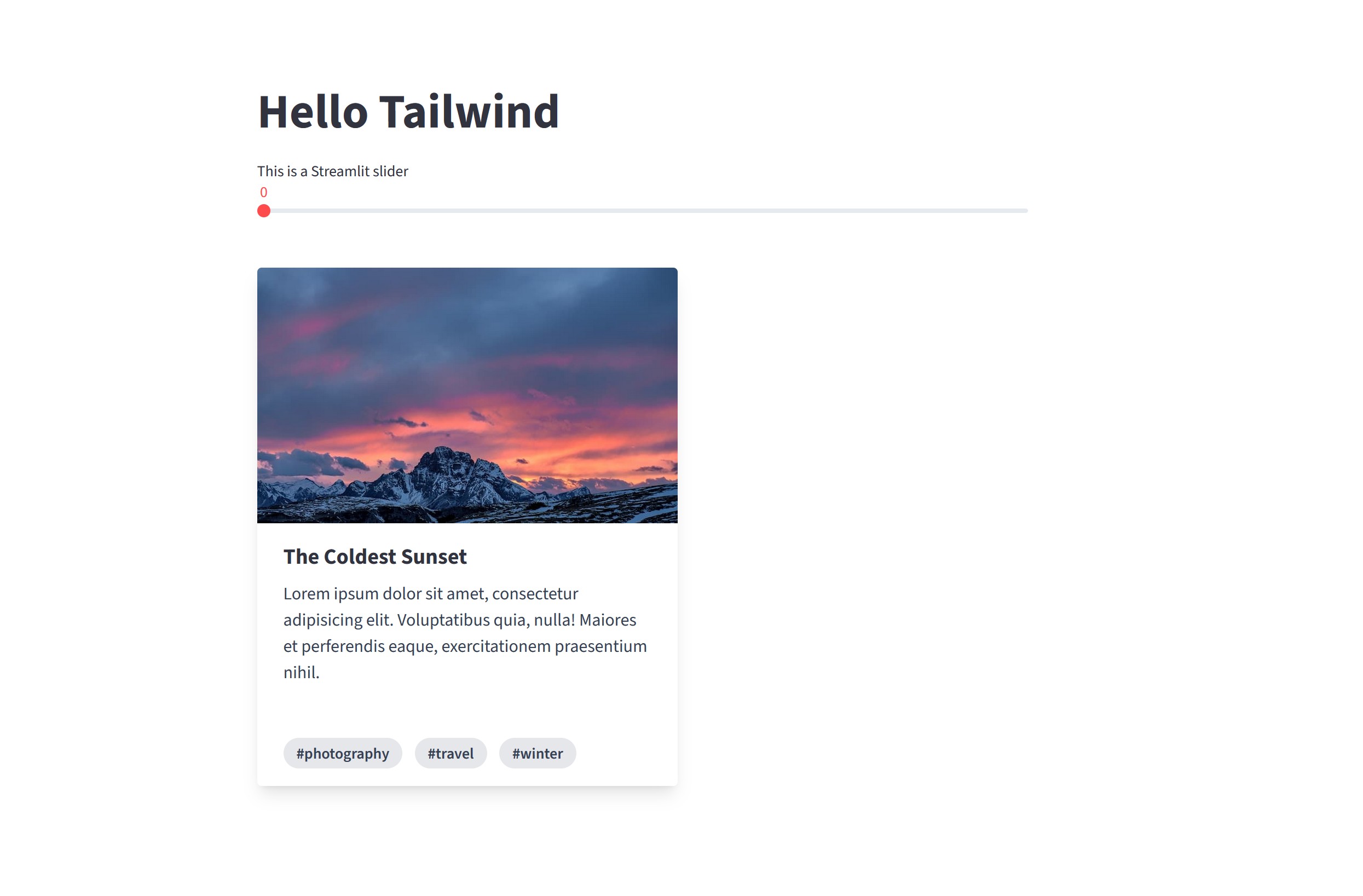
import streamlit as st

st.title("Hello Tailwind")

st.slider("This is a Streamlit slider")

# Loads Tailwind directly in the HTML page
st.html(
    '<script src="https://cdn.jsdelivr.net/npm/@tailwindcss/browser@4"></script>',
    unsafe_allow_javascript=True,
)

st.html('index.html')
<div class="max-w-sm rounded overflow-hidden shadow-lg">
  <img
    class="w-full"
    src="https://v1.tailwindcss.com/img/card-top.jpg"
    alt="Sunset in the mountains"
  />
  <div class="px-6 py-4">
    <div class="font-bold text-xl mb-2">The Coldest Sunset</div>
    <p class="text-gray-700 text-base">
      Lorem ipsum dolor sit amet, consectetur adipisicing elit. Voluptatibus
      quia, nulla! Maiores et perferendis eaque, exercitationem praesentium
      nihil.
    </p>
  </div>
  <div class="px-6 pt-4 pb-2">
    <span
      class="inline-block bg-gray-200 rounded-full px-3 py-1 text-sm font-semibold text-gray-700 mr-2 mb-2"
      >#photography</span
    >
    <span
      class="inline-block bg-gray-200 rounded-full px-3 py-1 text-sm font-semibold text-gray-700 mr-2 mb-2"
      >#travel</span
    >
    <span
      class="inline-block bg-gray-200 rounded-full px-3 py-1 text-sm font-semibold text-gray-700 mr-2 mb-2"
      >#winter</span
    >
  </div>
</div>
What about DaisyUI?
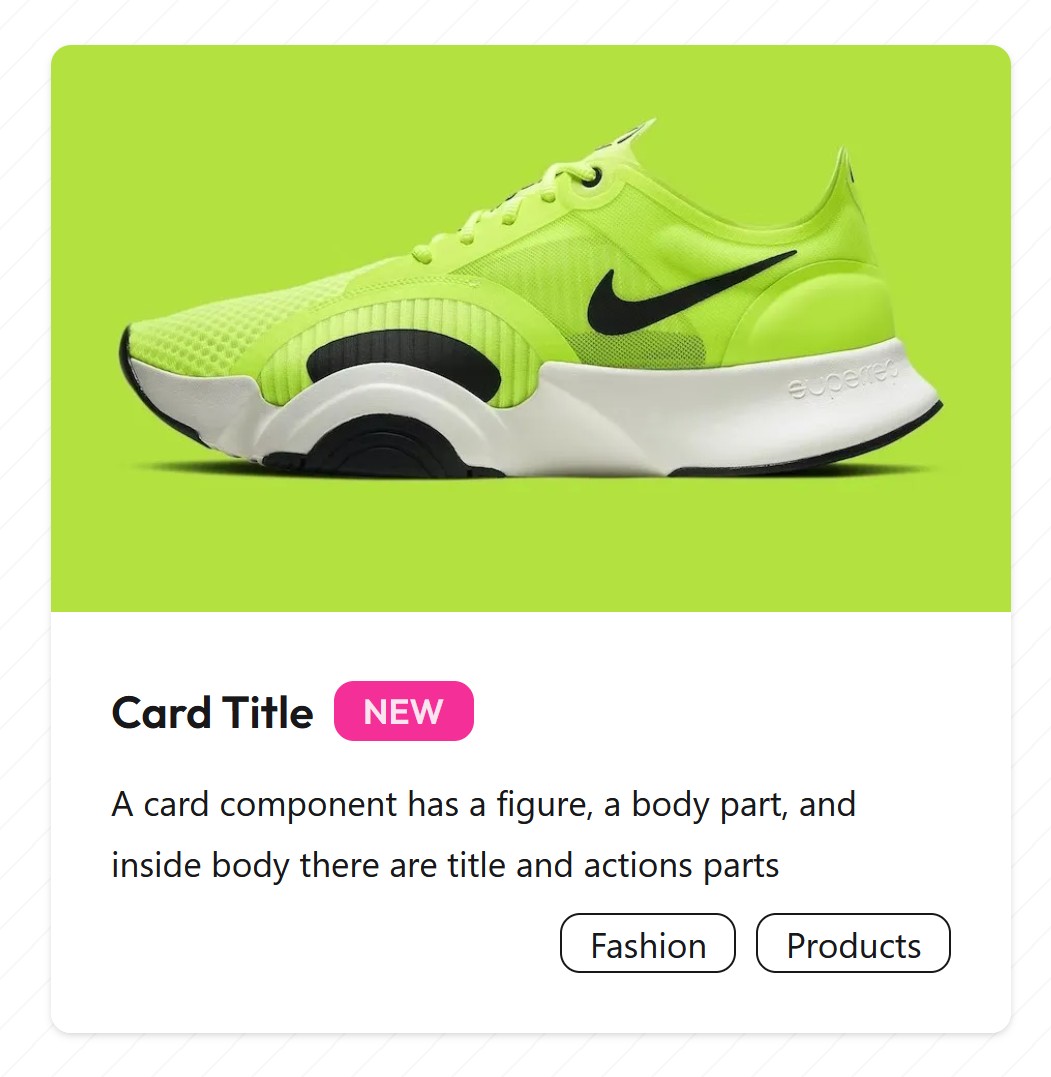
DaisyUI is a component library for Tailwind, and it has modern-looking static cards too:
Unfortunately, DaisyUI is available on CDN as CSS files, and st.html gets rid of CSS stylesheets:
<link
  href="https://cdn.jsdelivr.net/npm/daisyui@5"
  rel="stylesheet"
  type="text/css"
/>
<script src="https://cdn.jsdelivr.net/npm/@tailwindcss/browser@4"></script>
But you can do everything with Javascript! Like load CSS via Javascript:
<script>
  // 1. Create the Tailwind script element
  // (DaisyUI requires Tailwind to function)
  const tailwindScript = document.createElement("script");
  tailwindScript.src = "https://cdn.tailwindcss.com";
  document.head.appendChild(tailwindScript);

  // 2. Create the DaisyUI Link element
  const daisyLink = document.createElement("link");
  daisyLink.href =
    "https://cdn.jsdelivr.net/npm/daisyui@4.12.10/dist/full.min.css";
  daisyLink.rel = "stylesheet";
  daisyLink.type = "text/css";
  document.head.appendChild(daisyLink);
</script>
<div class="card bg-base-100 shadow-sm w-full justify-center items-center">
  <figure class="px-10 pt-10">
    <img
      src="https://img.daisyui.com/images/stock/photo-1606107557195-0e29a4b5b4aa.webp"
      alt="Shoes"
      class="rounded-xl"
    />
  </figure>
  <div class="card-body items-center text-center">
    <h2 class="card-title">Card Title</h2>
    <p>
      A card component has a figure, a body part, and inside body there are
      title and actions parts
    </p>
    <div class="card-actions">
      <button class="btn btn-primary">Buy Now</button>
    </div>
  </div>
</div>
import streamlit as st

st.title("Hello Tailwind")

st.slider("This is a Streamlit slider")

st.html("load_daisyui.html", unsafe_allow_javascript=True)

st.html('index.html')
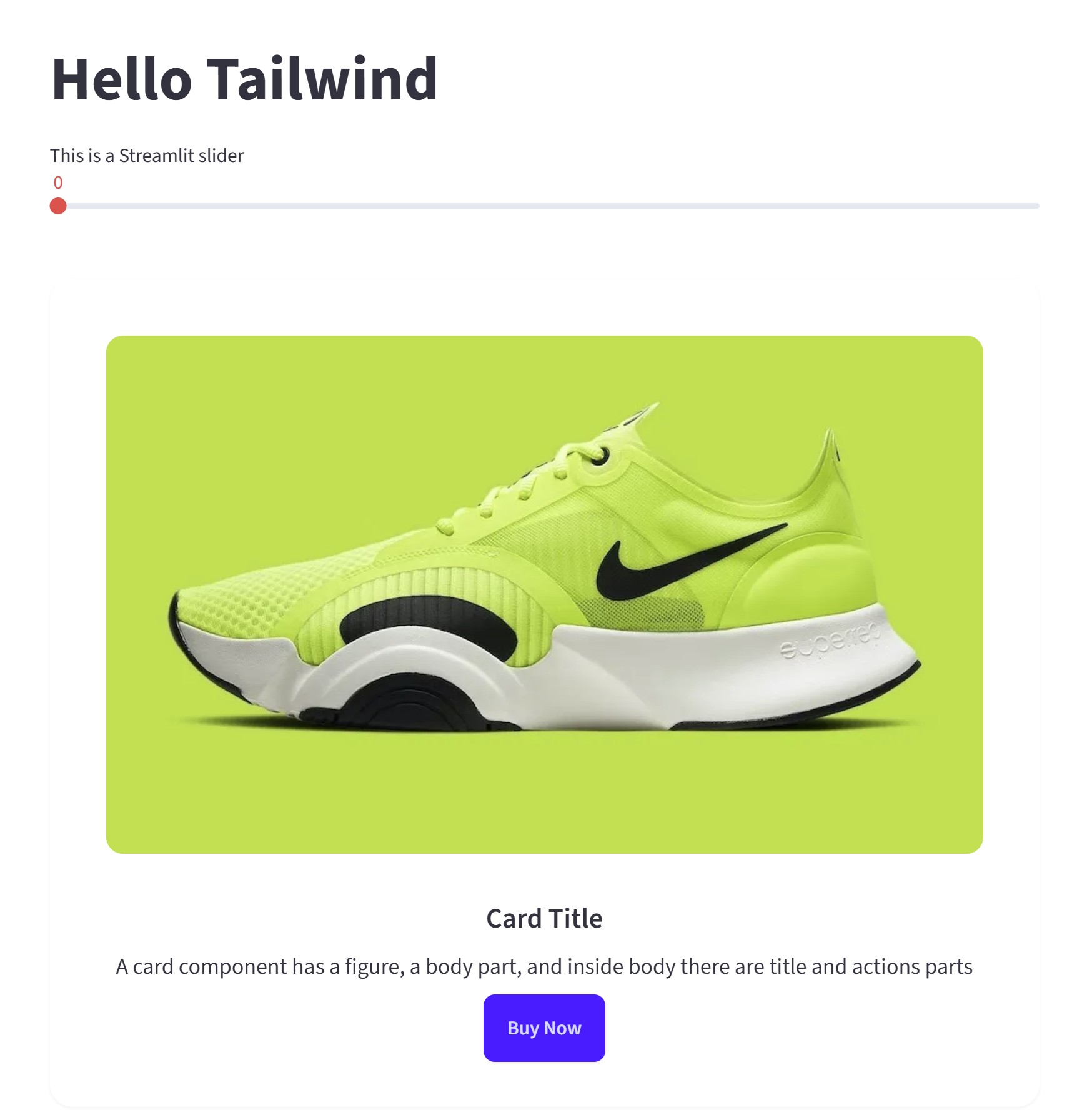
Why is this quick and dirty?
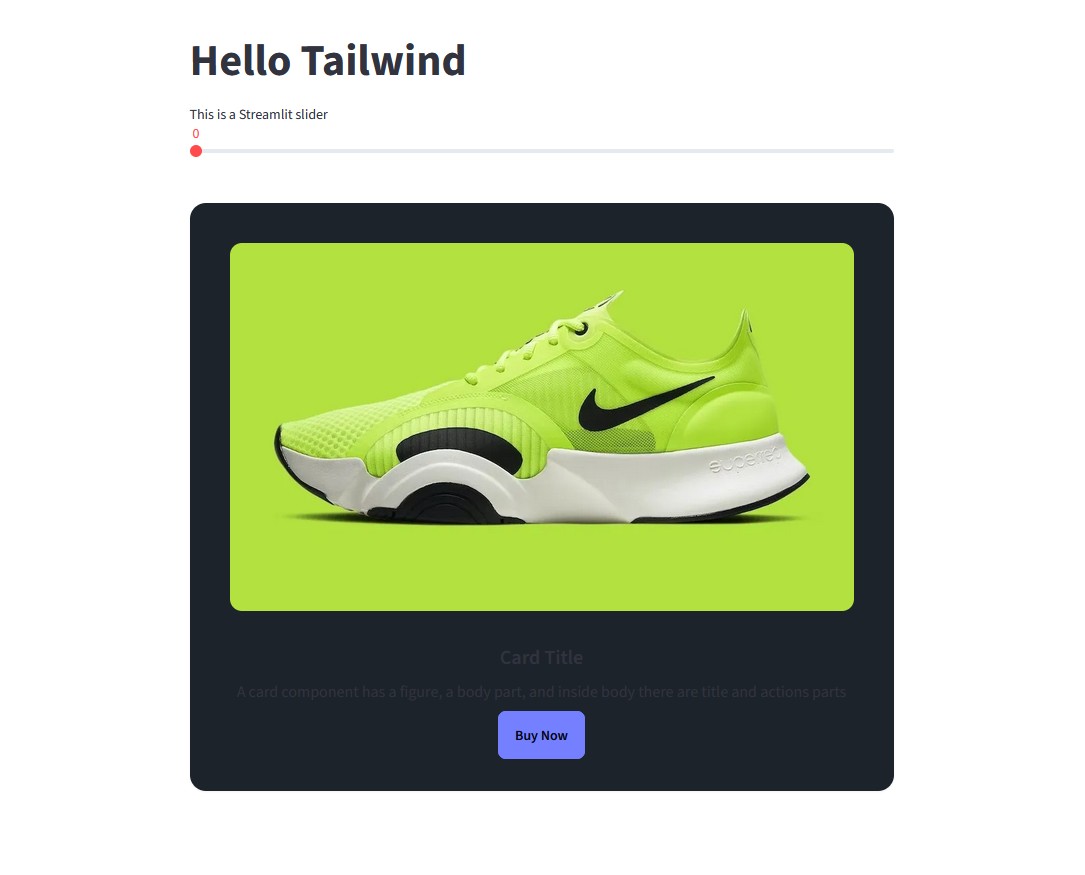
- Doesn't work well if Streamlit is in Light mode but your browser in Dark Mode. Tailwind gets dark:
- Clicking on the button does not send a value back to Streamlit. For that, you would need to build a Streamlit Component.
- why is it called
unsafe_allow_javascript? As you saw above, Javascript is powerful, so if you let any user inject its own Javascript into your self-hosted app, you may get buried by Cross-Site Scripting, session hijacking and more. Try out the following app:
st.info("""
Try: `<script>alert('Hello you!');</script>`
""")

user_input = st.text_input(
  "Enter your name (try the malicious examples above):",
  placeholder="Enter text here..."
)
unsafe_html = f"""
<div>
    <h3>Hello, {user_input}!</h3>
</div>
"""
st.html(unsafe_html, unsafe_allow_javascript=True)
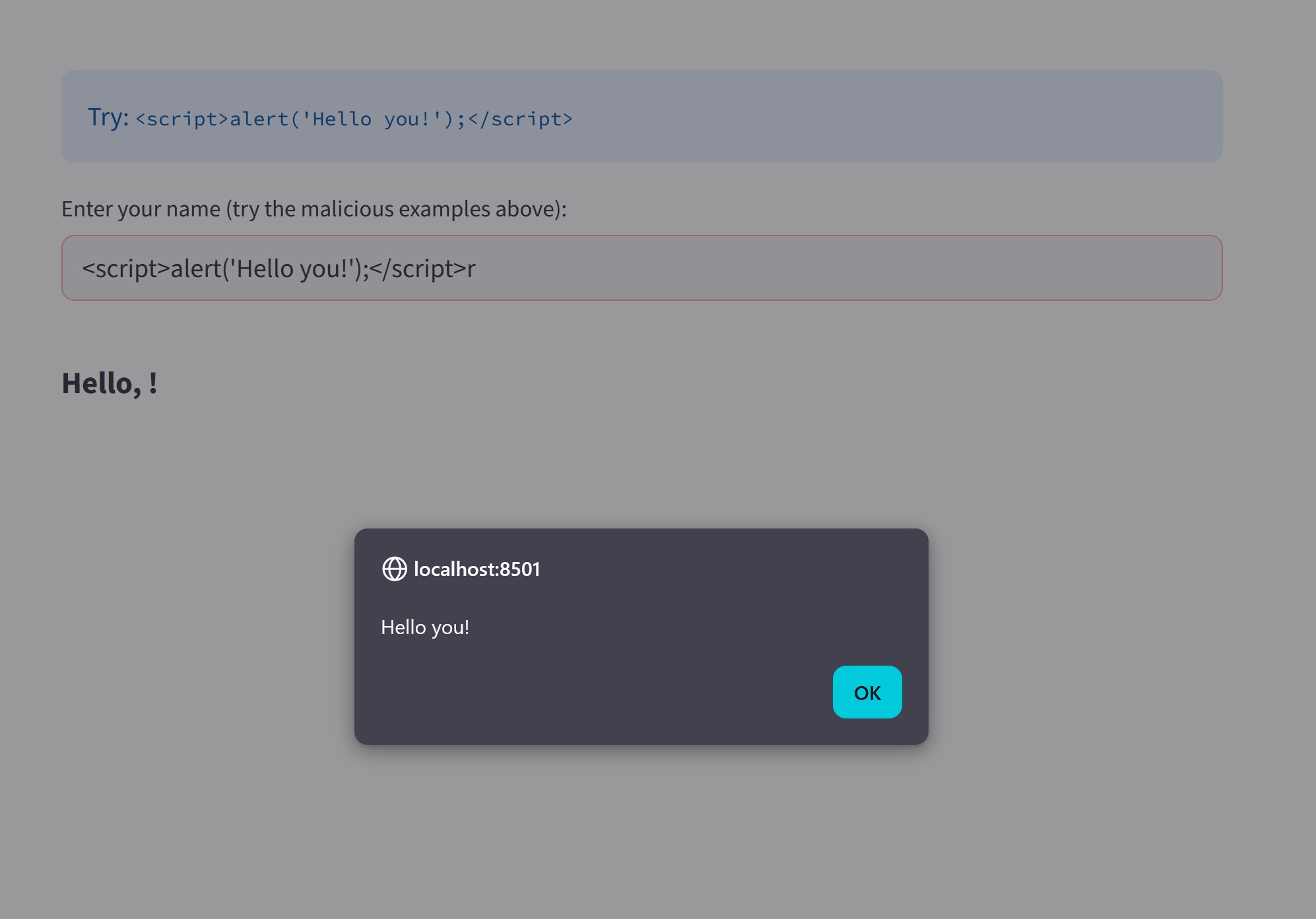
This demo attack alone is not particularly useful, but better safe than sorry..